Overview
The Computers menu displays all virtual machines within your Softdrive organization. From this section, administrators can view, manage, create, and delete computers, as well as perform common troubleshooting and management actions.
Applies To
- Softdrive Dashboard
- Administrators and IT Users
Prerequisites
- Access to the Softdrive dashboard
- Valid user or administrator credentials
Procedure
- View and manage existing computers
- Log in to the Softdrive dashboard at http://softnet.softdrive.co/ .
- Navigate to the Computers tab to view all machines
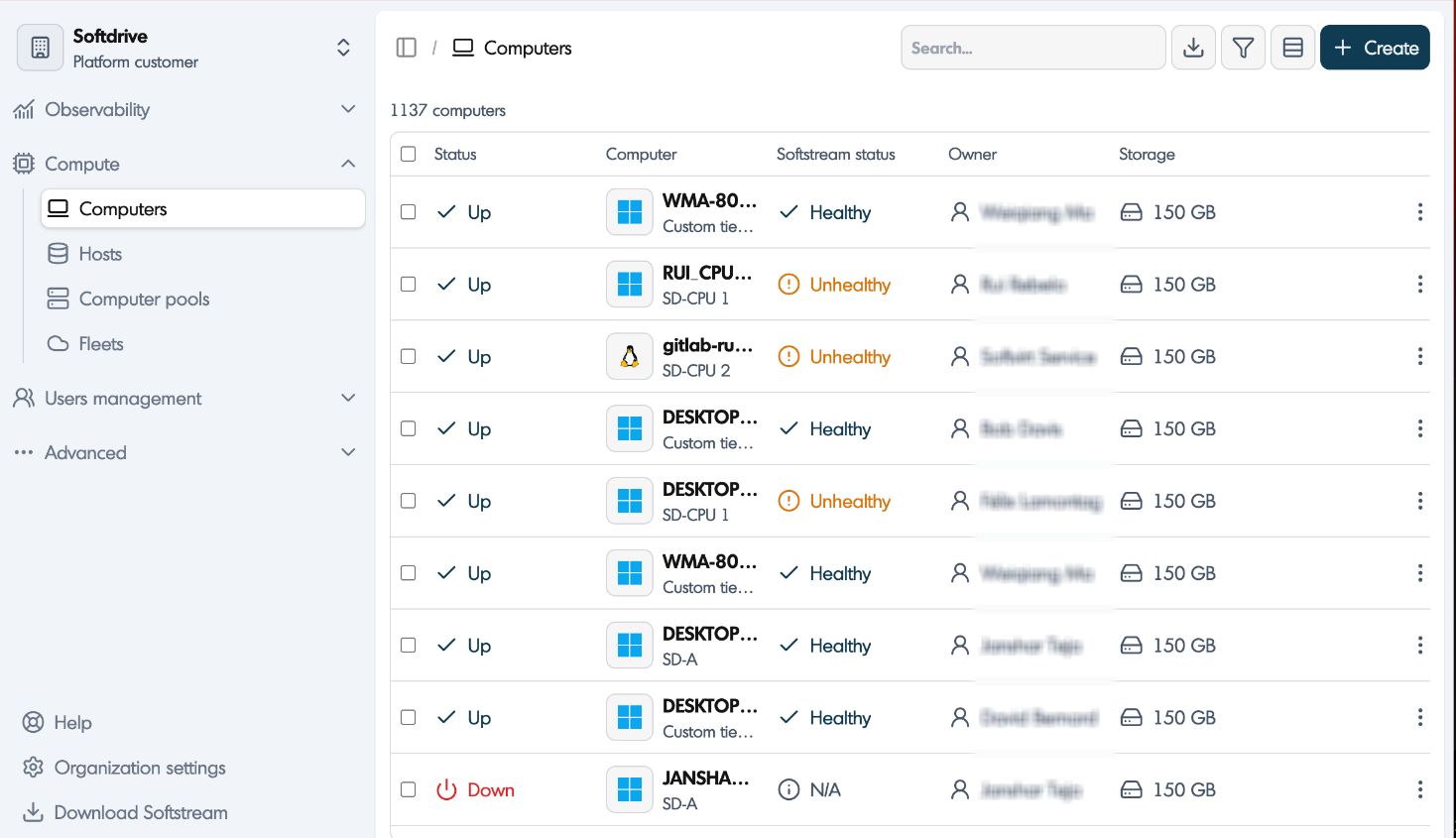
- Use the search bar to locate computers by name or owner
- Download the computer list if required
- Filter the computer Status, Owner, Storage
- Switch between list and grid view as needed

- Open a computer to view detailed settings
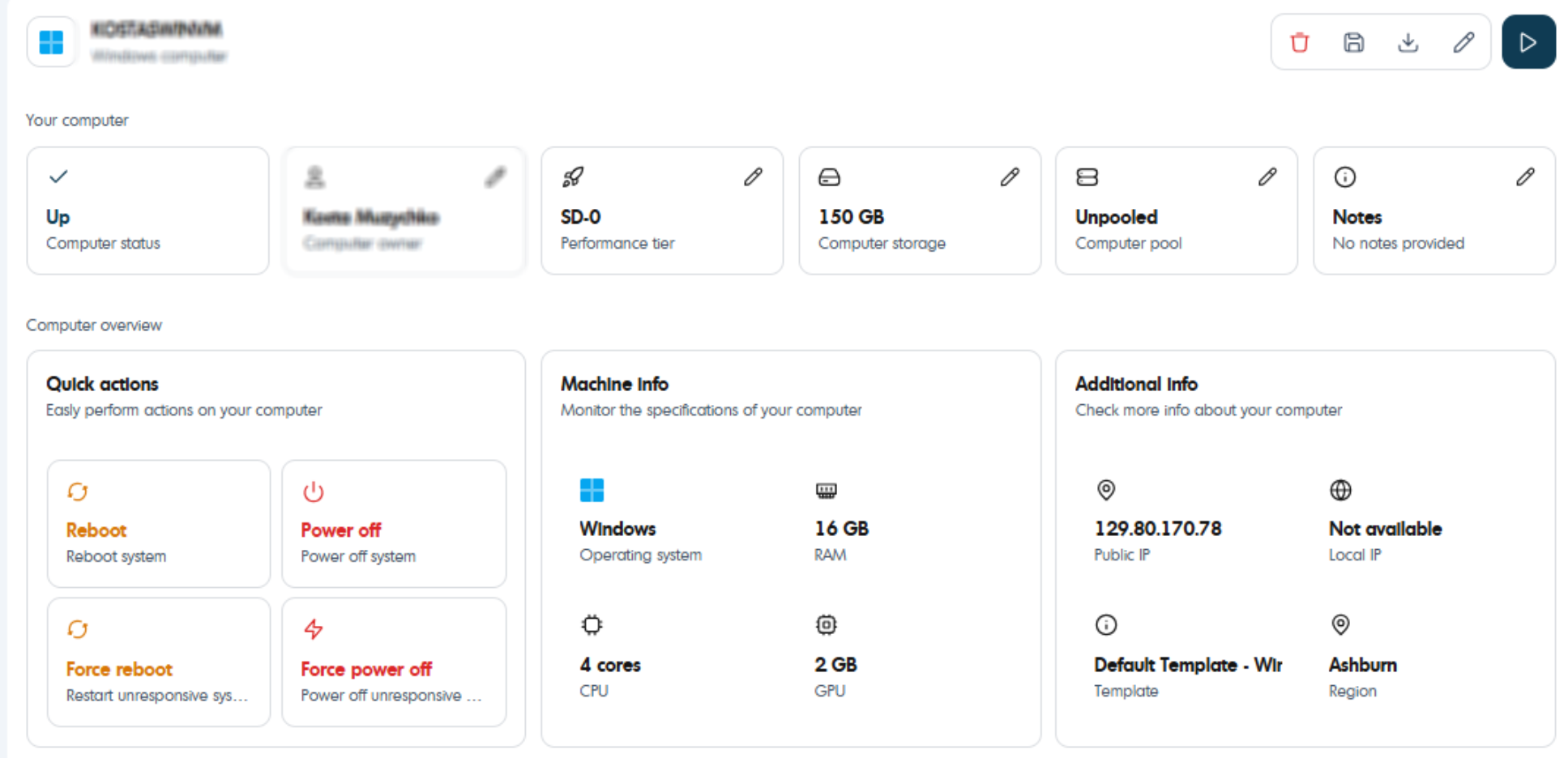
- Modify configuration such as name, performance tier, storage, or pool

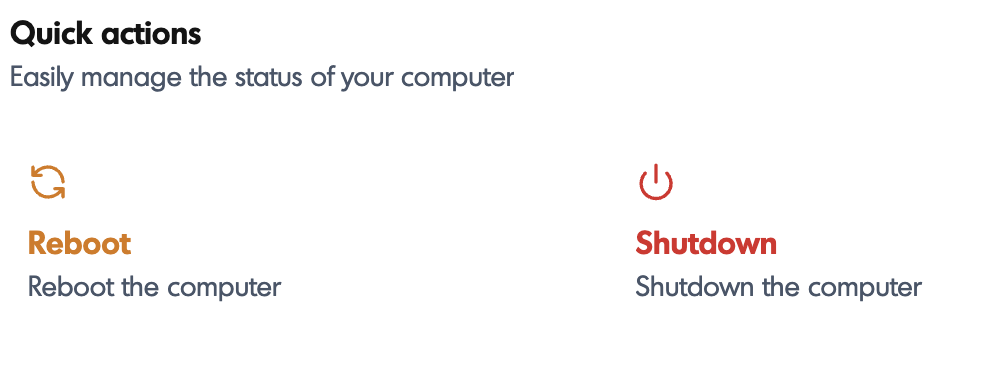
- Use quick actions for troubleshooting and management tasks
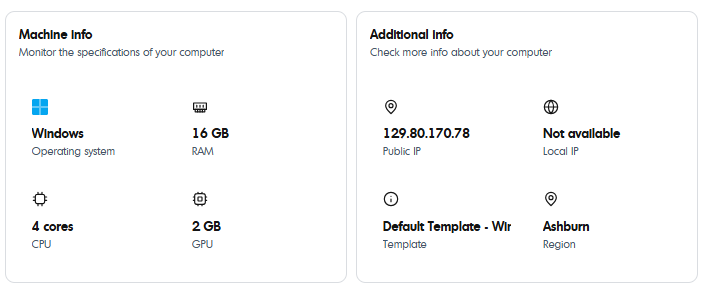
- Review machine information and available actions such as Connect, Delete, or Save as template
- Create new computers
- Click the Add button in the top-right corner

- Choose between Create One or Create Many
- Create One allows creating a single or multiple identical machines
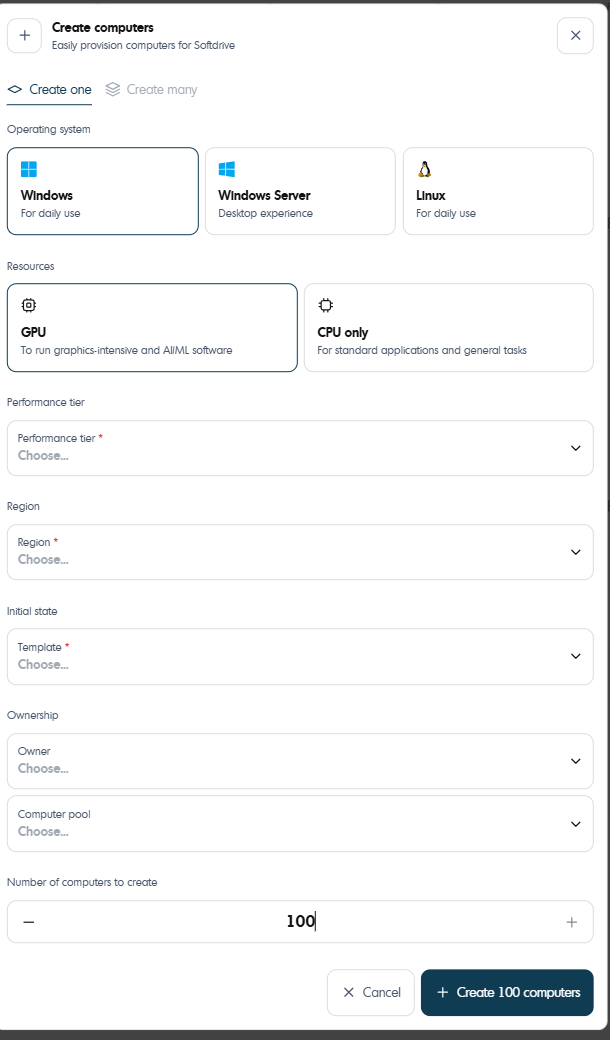
- Create Many allows creating multiple computers with different configurations
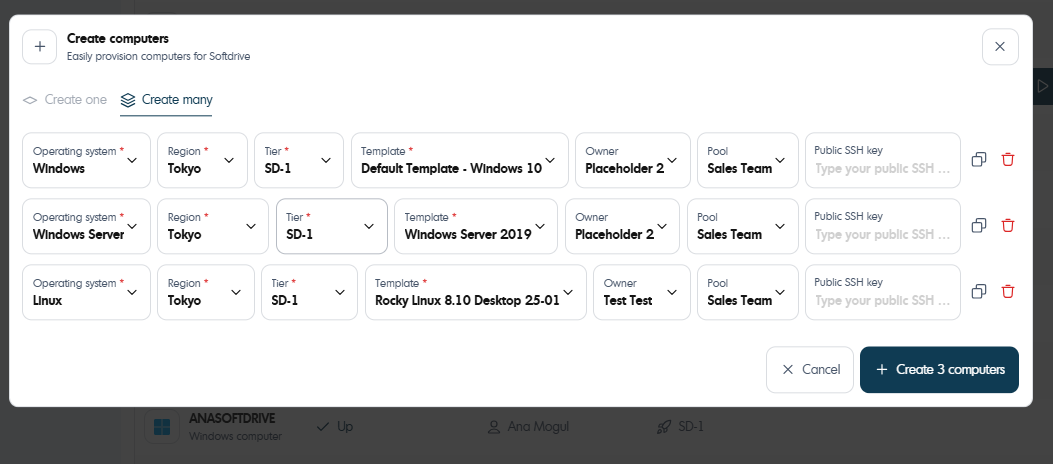
- Click the Add button in the top-right corner
- Delete a computer
- Open the computer details page
- Click on the top right menu
- Click the Delete button
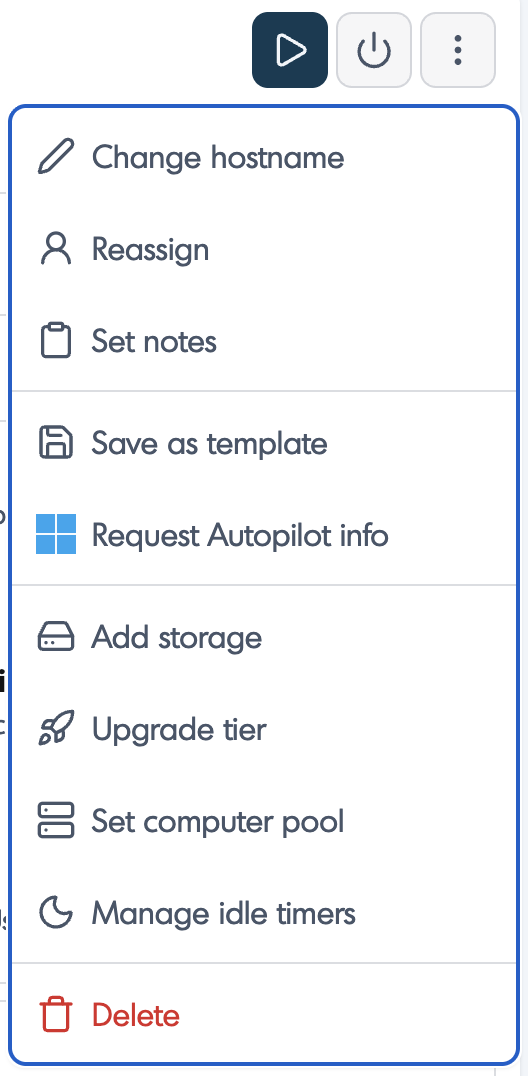
- Confirm the deletion when prompted
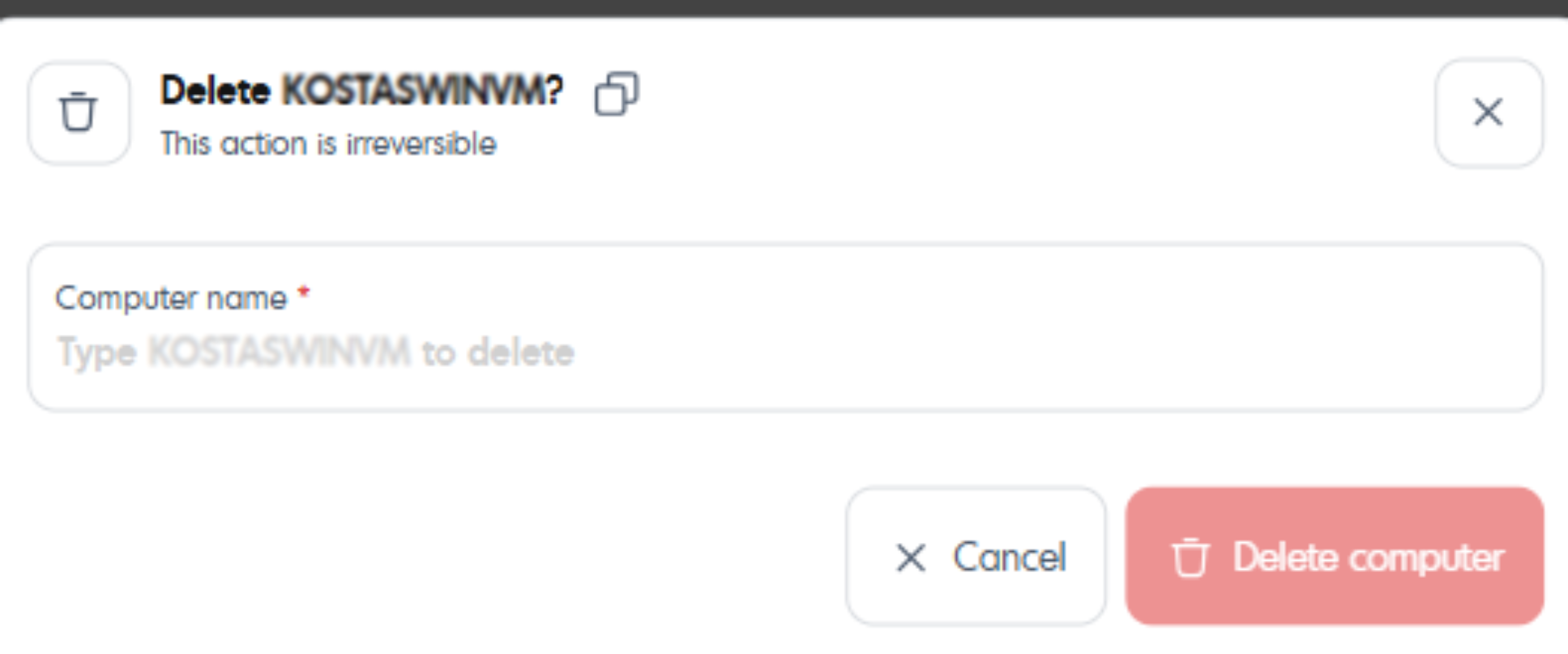
Expected Result
Administrators can successfully view, create, manage, and delete computers within the Softdrive dashboard.
Troubleshooting
- Ensure you have the correct permissions to manage computers
- Refresh the dashboard if changes are not visible
- If actions fail, open a ticket at support@softdrive.co