Overview
The Groups feature inside the Softnet Dashboard allows administrators to organize users into logical groups for easier management and assignment.
Groups can be used to:
- Assign users to Computer Pools
- Assign users to Fleets
- Assign Roles and Permissions (
- Simplify administration of multiple users
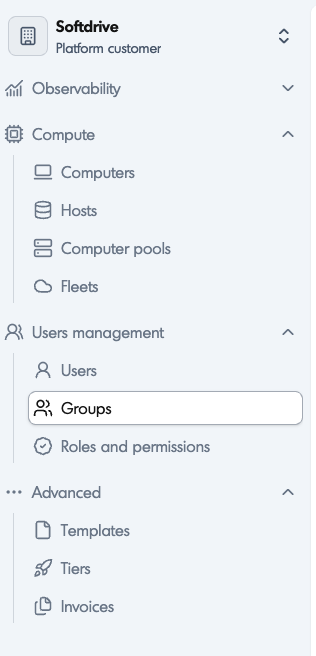
This feature is located under:
Users Management → GroupsApplies To
- Softnet Dashboard
- Softdrive Administrators
- User Management
- Computer Pools
- Fleets
- Roles and Permissions
Prerequisites
- Administrator access to the Softnet Dashboard
- Existing Softdrive users
- Access to the Users Management section
Procedure
1. Access the Groups Section
- Log in to:
https://softnet.softdrive.co/ - Navigate to:
Users Management → Groups
2. Create a New Group
Groups help organize users and simplify assignments across the Softdrive environment.
- Click:
Create - Enter a group name
- Save the group configuration
Once created, the group becomes available for assigning users.
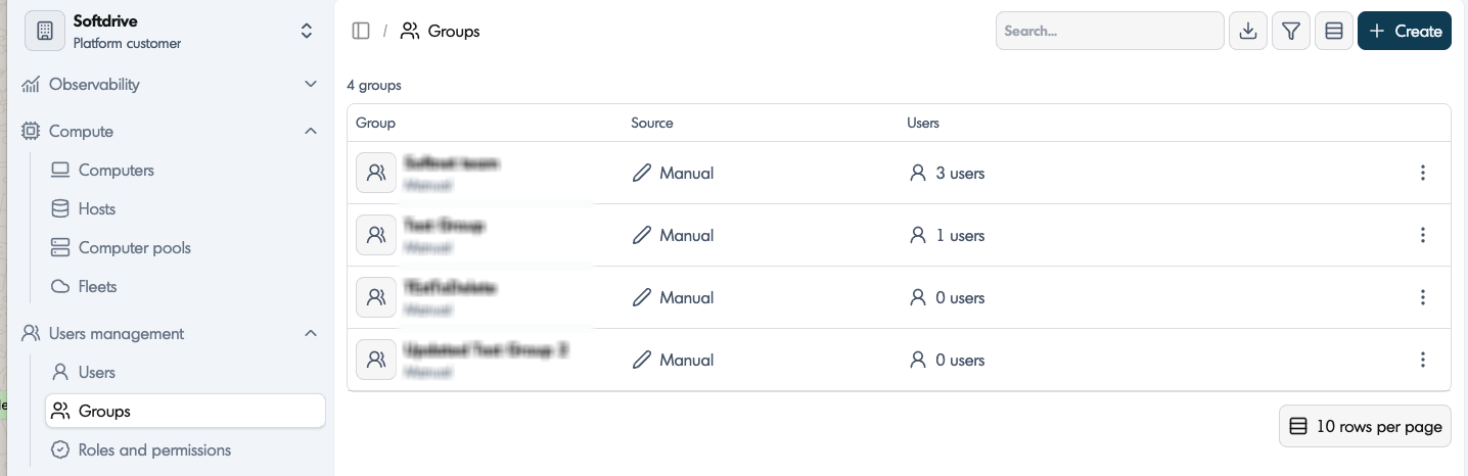
3. View Existing Groups
The Groups page displays:
- Group Name
- Source type
- Assigned users
You can quickly review all configured groups from this screen.
4. Manage Group Members
Administrators can update group membership at any time.
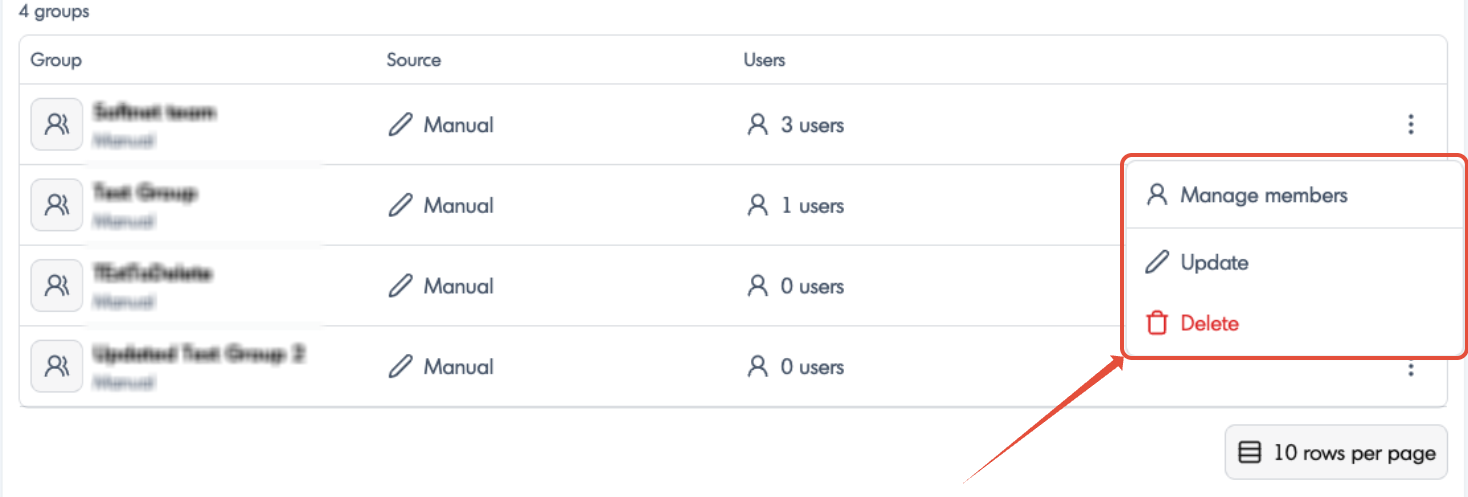
- Click the menu button (⋮) next to the group
- Select:
Manage members - Add or remove users as needed
Changes apply immediately to all associated assignments and permissions.
5. Update a Group
- Open the group action menu
- Select:
Update - Modify the group configuration or details
6. Delete a Group
- Open the group action menu
- Select:
Delete - Confirm the deletion
Deleting a group removes the group object itself but does not delete the users assigned to it.
Using Groups
Groups can be used throughout the Softdrive platform to simplify administration.
Computer Pools
Fleets
Roles and Permissions (coming soon)
Users Management → Roles and PermissionsThis allows administrators to assign permissions to groups instead of configuring each user individually.
Expected Result
Administrators can successfully create, manage, and assign groups to pools, fleets, and permissions inside the Softnet Dashboard.