Overview
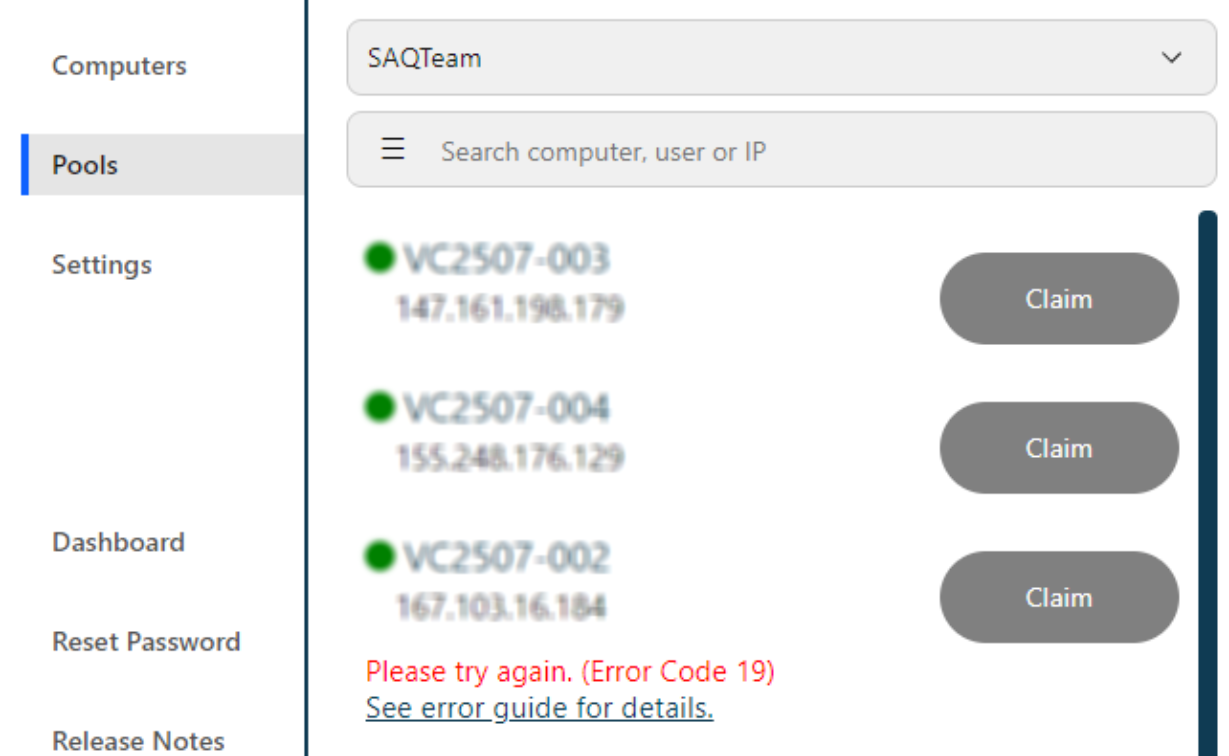
Error Code 19 (connectionFailed) indicates that the Softdrive client is unable to establish or maintain the required network communication with the remote computer.
Softdrive relies on both TCP and UDP to establish and maintain a session. If UDP traffic is blocked, filtered, or degraded, the connection will fail.
Applies To
- Softdrive Virtual Machines
- Softstream Client
- Users unable to establish or maintain a session
Symptoms
- Connection fails when attempting to start a session
- Error Code 19 (connectionFailed) is displayed
- Session cannot establish or drops immediately
Possible Causes
- Firewall or EDR blocking UDP traffic
- Network security software (VPNs, Zscaler, endpoint protection) interfering with real-time traffic
- Severe packet loss or unstable network conditions
- UDP traffic not flowing bidirectionally between client and server
This issue is most commonly related to network filtering or UDP communication failure.
Resolution
Ensure required network ports are open and allow bidirectional communication between the client and server.
Required Ports
Confirm the following ports are open on all firewalls, EDRs, and network devices:
TCP (Control & Setup)
| Direction | Port | Purpose |
|---|---|---|
| Client → Server | 9260 | Initial connection (TLS) |
| Server → Client | Ephemeral | Response |
UDP (Streaming)
| Direction | Ports |
|---|---|
| Client → Server | 9250–9254 |
| Server → Client | 58000–59000 |
Important: UDP traffic must be allowed in both directions.
- Disable VPN or security tools temporarily for testing
- Verify firewall and endpoint security rules allow Softdrive traffic
- If using corporate security tools (e.g., Zscaler), ensure UDP is not blocked or intercepted
Validation / Expected Result
The Softdrive session connects successfully and remains stable once UDP communication is properly established.
Troubleshooting Notes
- This error is almost always caused by UDP being blocked or degraded
- Allowing outbound UDP only is not sufficient — inbound return traffic is required
- Packet capture tools (e.g., Wireshark) can confirm whether UDP traffic is flowing both ways
- Corporate networks frequently block required ports by default
Escalation
If the issue persists, contact Softdrive Support and include the following:
- Error code: Error Code 19 – connectionFailed
- Date and time of occurrence
- Network type (home, corporate, VPN, hotspot)
- Screenshot of the error message
- Description of any network issues observed
Email: support@softdrive.co