Overview
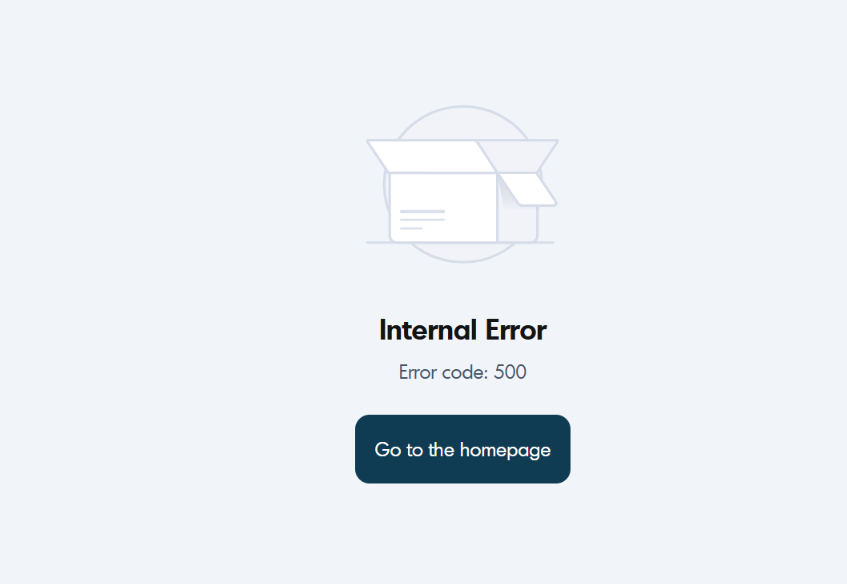
Error Code 500 (Internal Error) indicates a general issue within the Softdrive platform or one of its dependent services.
These errors are typically caused by backend service failures or issues with third-party providers (such as Microsoft infrastructure).
These incidents are treated as high priority and are usually resolved quickly once detected.
Applies To
- Softdrive Platform
- Softstream Client
- Softdrive Cloud Desktops
Symptoms
- "Internal Error" message when connecting
- Unable to launch or access a Softdrive computer
- Connection fails immediately after initiating session
Possible Causes
- Temporary outage or degradation of Softdrive services
- Internal platform or web service failure
- Issues with third-party infrastructure providers (e.g., Microsoft)
- Ongoing maintenance or unexpected instability
This issue is not caused by client configuration, network settings, or firewall rules.
Resolution
- Retry the connection
- Wait 1–3 minutes
- Attempt to reconnect
- Check service status
- Verify if there is an outage or maintenance
- Check your organization's status communication channel
- Avoid repeated retries
- Do not continuously retry connections
- Allow time for backend recovery
Validation / Expected Result
- The connection completes successfully
- The Softdrive session launches normally
- The error message no longer appears
Troubleshooting Notes
- This is a platform-side issue outside user control
- If multiple users are affected, it likely indicates a broader outage
- Retrying after a short delay is usually sufficient
Escalation
If the issue persists, contact Softdrive Support and include the following:
- Error code: Error Code 500 – Internal Error
- Date and time of occurrence
- Network type (home, corporate, VPN, hotspot)
- Screenshot of the error message
- Description of any network issues observed
Email: support@softdrive.co