Overview
You can report issues to the Softdrive Support team using multiple methods, including directly from the Softdrive overlay, through the web support portal, or by email.
Providing detailed information about the issue helps the Softdrive team diagnose and resolve problems more efficiently.
Applies To
- Softdrive Virtual Machines
- Softdrive Overlay
- Softdrive Launcher
- Users reporting issues or bugs
Prerequisites
- Active Softdrive session
- Internet connection
- Access to the Softdrive overlay or support portal
Procedure
Method 1: Report an Issue from the Softdrive Overlay
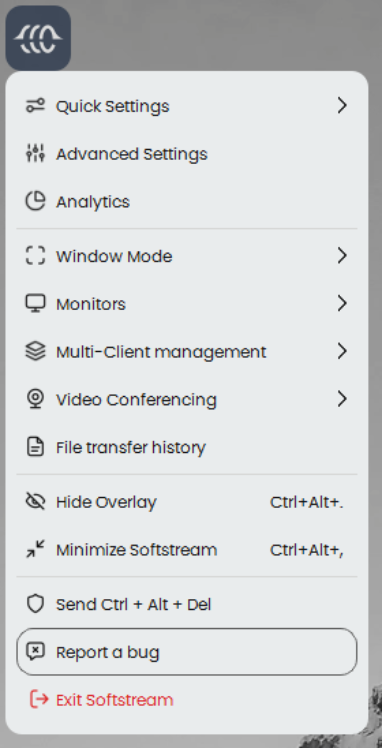
- Click the Softdrive Desktop Icon
- Select:
Report a bug - A support ticket form will open automatically
Method 2: Submit a Ticket via the Web Portal
- Open:
https://support.softdrive.co/support/tickets/new - Complete the support form with as much detail as possible
Method 3: Contact Support by Email
- Email:
support@softdrive.co
Providing Additional Details
To help the Softdrive Support team resolve your issue faster, include the following information whenever possible:
- Softdrive machine screenshot from Softnet.
Go to the computer overview in Softnet and use the "Get a screenshot" feature.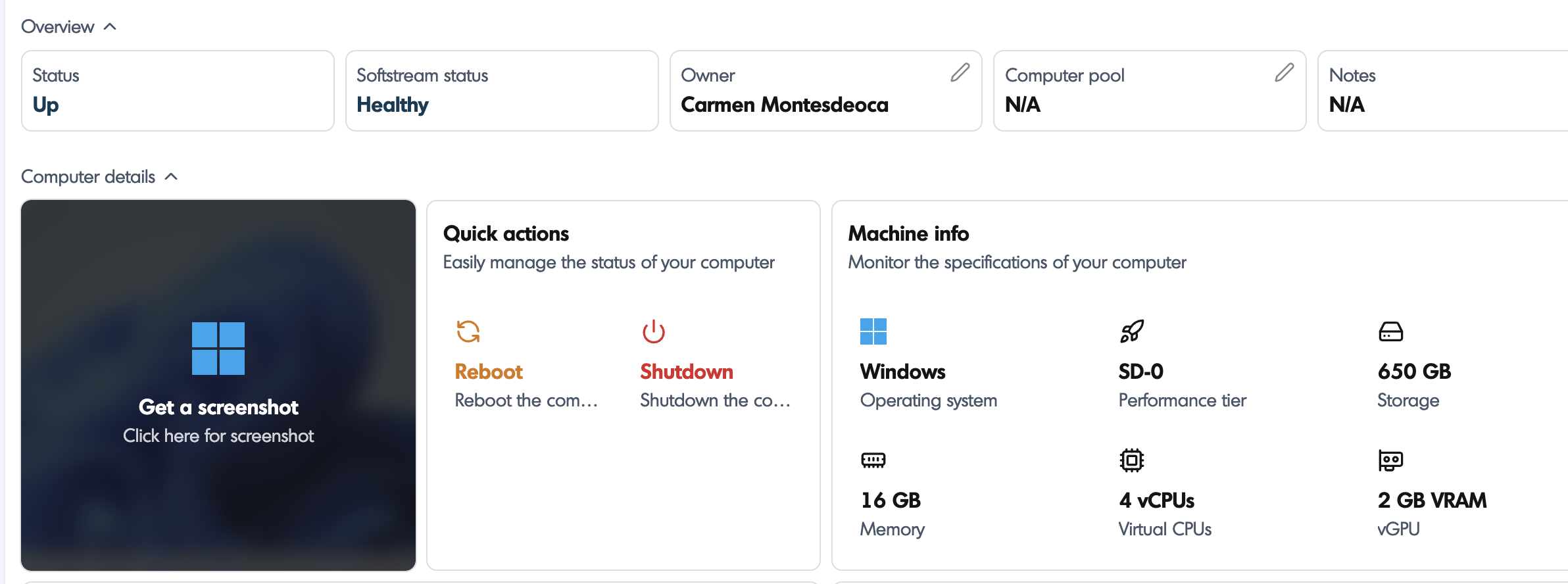
- Additional Screenshots or Videos
Attach visual evidence of the issue if available. - Machine Name
This can be found in both the Dashboard and the Softdrive Desktop Application. - What You Were Doing
Describe what was happening when the issue occurred (for example: using a specific application, switching monitors, reconnecting, etc.). - Error Messages
Include exact wording or screenshots of any errors shown. - Steps Already Tried
Mention any troubleshooting steps already performed.
Providing detailed information helps the Softdrive team identify and resolve issues more efficiently.
Expected Result
The issue is successfully submitted to Softdrive Support with enough information for troubleshooting and investigation.
Troubleshooting
- Ensure the Softdrive overlay is visible before attempting to use “Report a bug”
- Verify internet connectivity if the support portal does not load
- Attach screenshots before submitting the ticket when possible
- If support emails bounce or fail, use the web portal instead