Overview
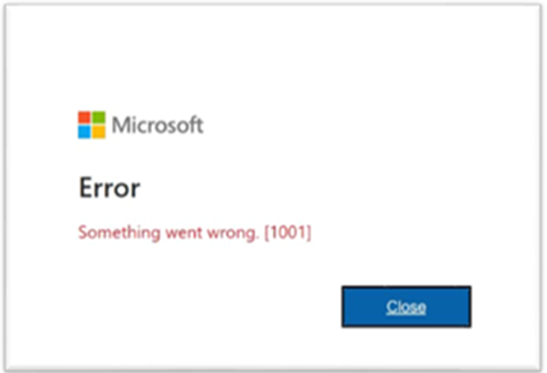
Some users may encounter the Microsoft error:
Something went wrong. [1001]This issue is commonly associated with a Trusted Platform Module (TPM) error on the local computer.
Applies To
- Microsoft authentication services
- Softdrive environments using Microsoft login
- Windows devices with TPM-related authentication issues
Symptoms
- Microsoft login fails with error code [1001]
- Authentication prompts repeatedly fail
- Users are unable to access Microsoft-based services
Possible Causes
- Trusted Platform Module (TPM) malfunction or corruption
- Corrupted Windows authentication tokens
- Local device security or credential issues
- TPM or Windows Hello configuration conflicts
Resolution
- Check with Your Team
- If multiple users are experiencing the same issue, contact Softdrive Support
- CC your IT manager or internal IT department
- Contact IT Support
- This issue may require local desktop support intervention
- Your IT team may need to investigate TPM or Windows credential configuration
Validation / Expected Result
The Microsoft authentication process completes successfully and the user is able to sign in without receiving TPM-related errors.
Troubleshooting Notes
- Restarting the local computer may temporarily resolve the issue
- Windows updates or TPM firmware issues may contribute to this error
- This issue is typically local-device related rather than a Softdrive platform issue
- IT administrators may need to clear TPM or reset Windows Hello credentials
Escalation
If the issue persists, contact Softdrive Support and include the following:
- Error message or screenshot
- Date and time of occurrence
- Device type and Windows version
- Description of any recent system changes or updates
Email: support@softdrive.co