Overview
This article explains why a computer cannot be reassigned to another user in the Softnet dashboard and how to resolve the issue.
When attempting to reassign a computer to another user (or remove the current assignment), the operation may fail if the computer is not fully operational in the Softdrive environment.
The reassignment process requires the computer to be powered on and actively connected to the Softdrive platform.
Common Causes
This issue typically occurs when the computer is in one of the following states:
- The computer is powered off
- The computer is currently rebooting
- The system is installing Windows updates
- The computer has not yet fully connected to the Softdrive platform
In these situations, Softnet cannot process reassignment requests because the computer is not fully online.
Resolution
Follow these steps to resolve the issue:
- Log in to the Softnet Dashboard.
- Navigate to the Computers section.
- Search for the computer you want to reassign.
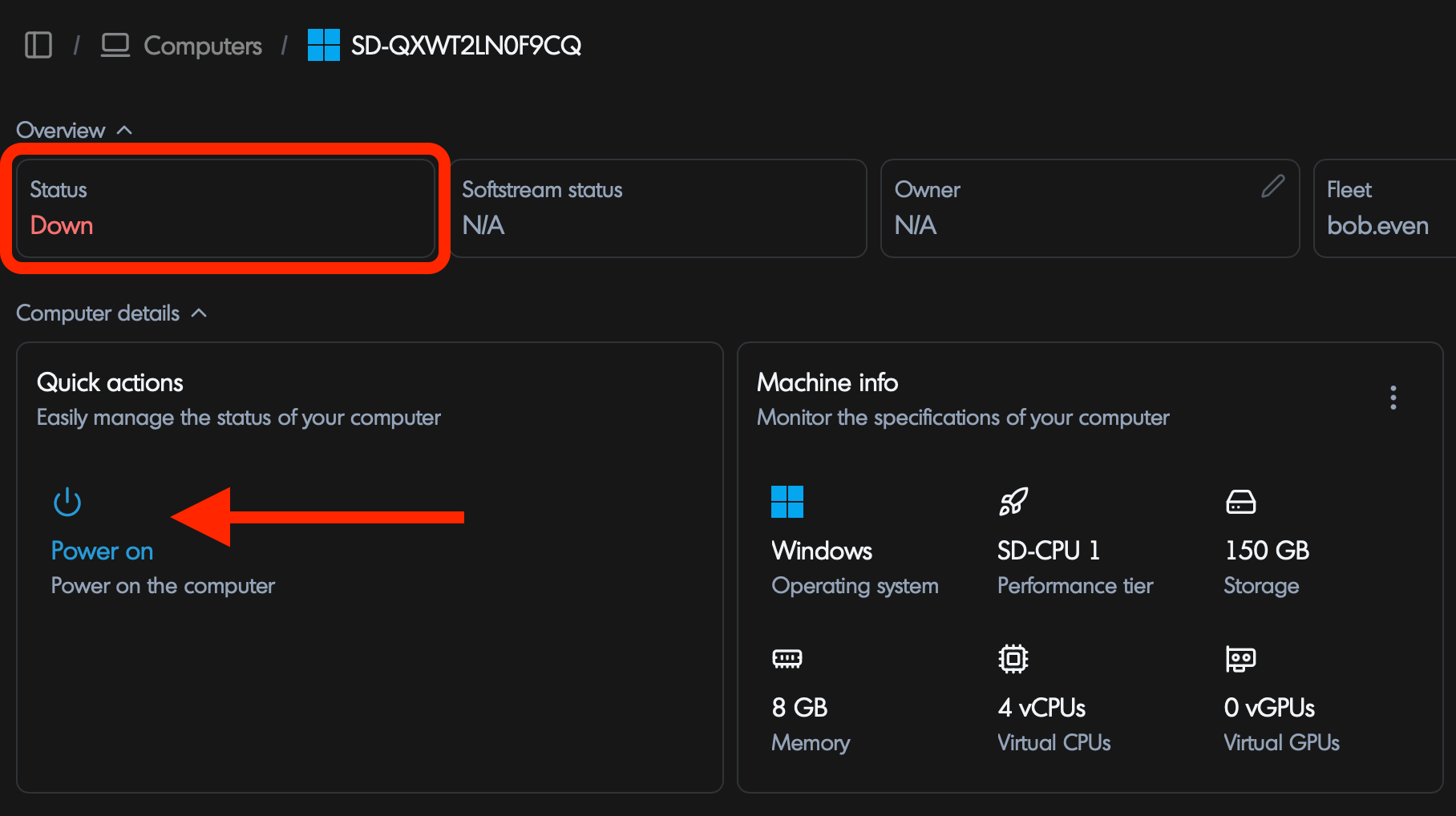
- Verify the Power State of the computer.
- If the computer is powered off, click Power On.
- Wait until the machine status shows Running / Online.
- Once the computer is online, attempt the Reassign Computer action again.
If the computer was recently rebooted, allow several minutes for the system to fully start and reconnect to the Softdrive platform before attempting reassignment.
If the reassignment action continues to fail after the computer is powered on, try refreshing the Softnet dashboard or wait a few additional minutes for the system status to update.
Support
If you continue to experience issues reassigning a computer, please open a support request and include the following information:
- Computer ID
- Screenshot of the computer status in Softnet
- Description of the action being performed
Please contact Softdrive Support:
support@softdrive.co