Overview
This article explains how to configure SCIM provisioning between Microsoft Entra ID and Softdrive using a custom enterprise application. It covers application setup, attribute mappings, provisioning behavior, and key limitations.
Applies To
- Softdrive SCIM Provisioning
- Microsoft Entra ID (Azure AD)
- Enterprise Applications
Prerequisites
- An Entra AD plan that supports custom, non-gallery applications
- If using a local Active Directory, it must be synced with Entra AD
- Do not add Softdrive from the Azure App Gallery
- You must create a custom enterprise application
Procedure
Follow these steps to configure SCIM provisioning:
- Create a custom Enterprise Application
- Sign in to the Microsoft Entra portal
- Navigate to Applications → Enterprise Applications
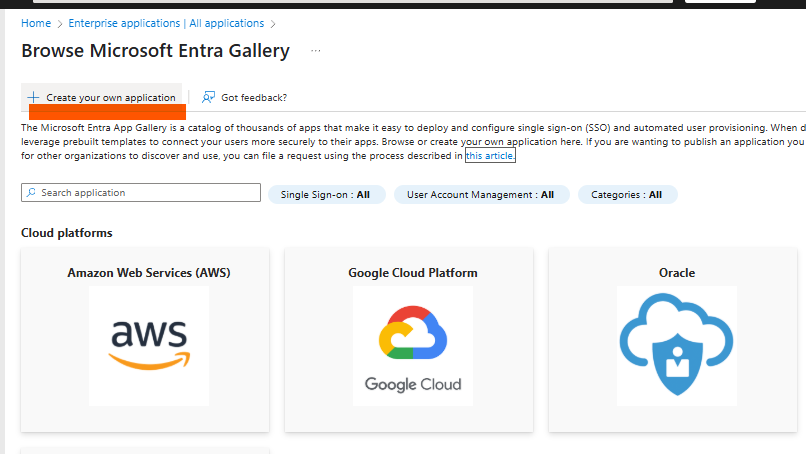
- Click + New application → Create your own application
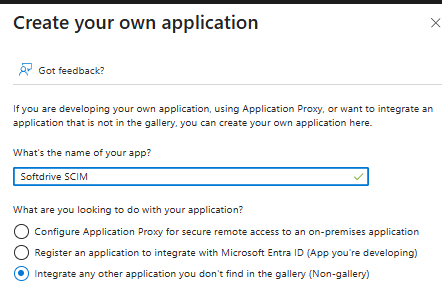
- Name your app (e.g., Softdrive SCIM)
- Select "Integrate any other application you don't find in the gallery"
- Open the newly created app → go to Provisioning
- Click + New Configuration
- Enter Tenant URL:
https://softnet.softdrive.co/api/v1/automations/scim - Enter Secret Token (generated from Softdrive)
- Click Test Connection
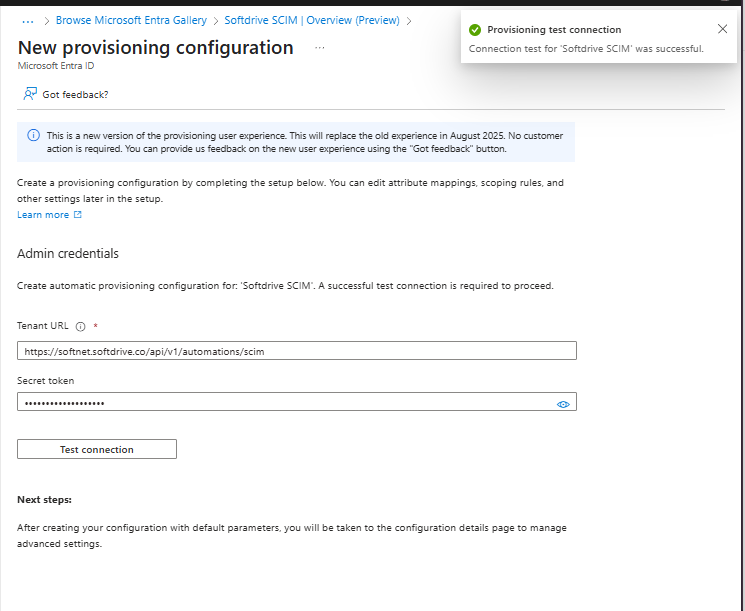
- Click Save
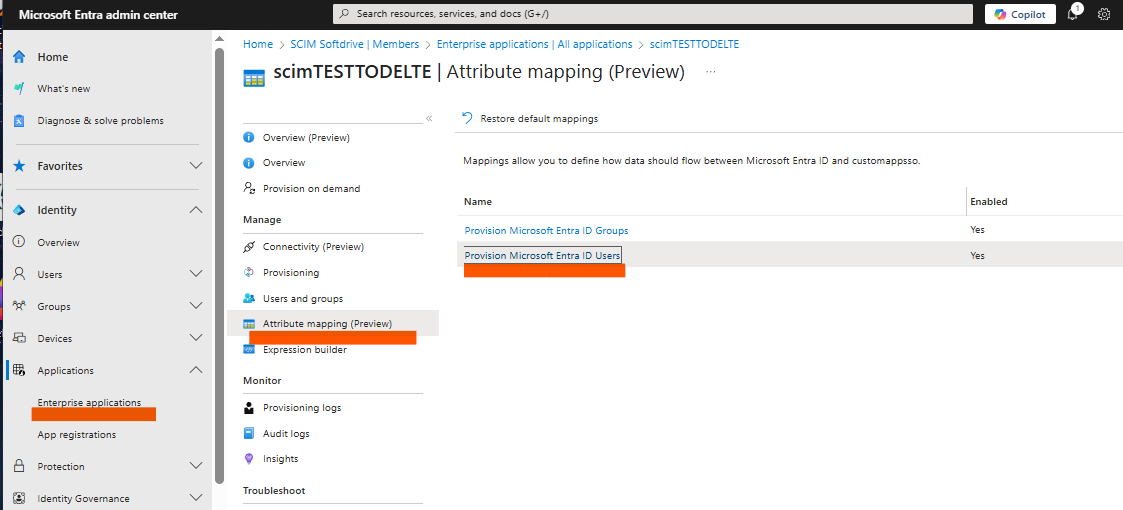
- Configure Attribute Mappings
- Go to Provisioning → Attribute Mappings
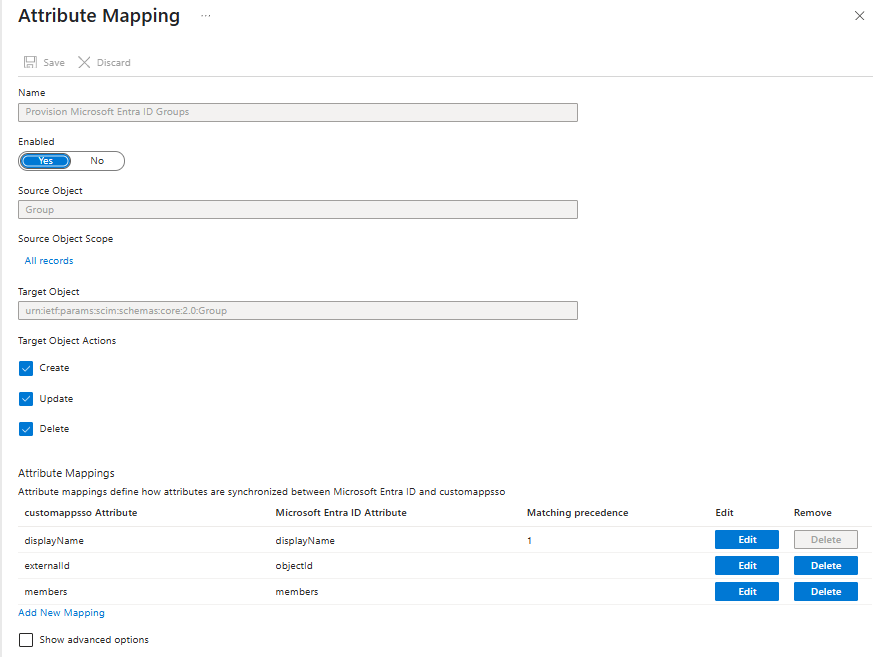
- Select "Provision Microsoft Entra ID Groups"
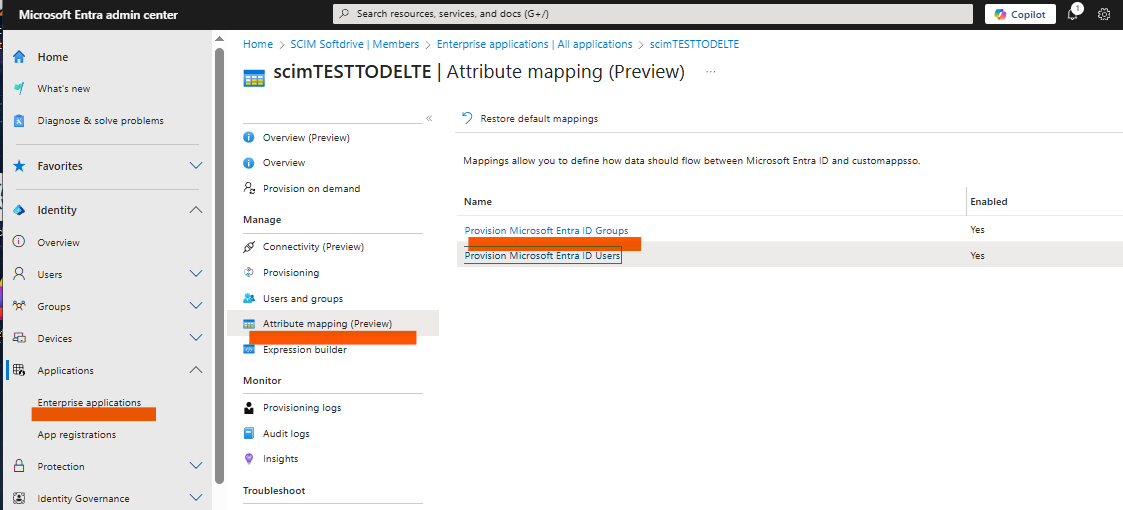
- Configure group mappings as needed
- Select "Provision Microsoft Entra ID Users"
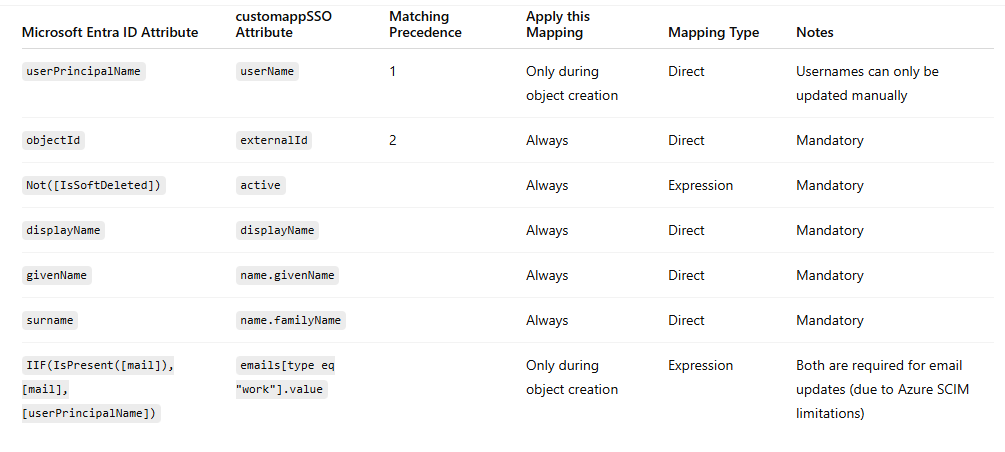
- Configure user mappings
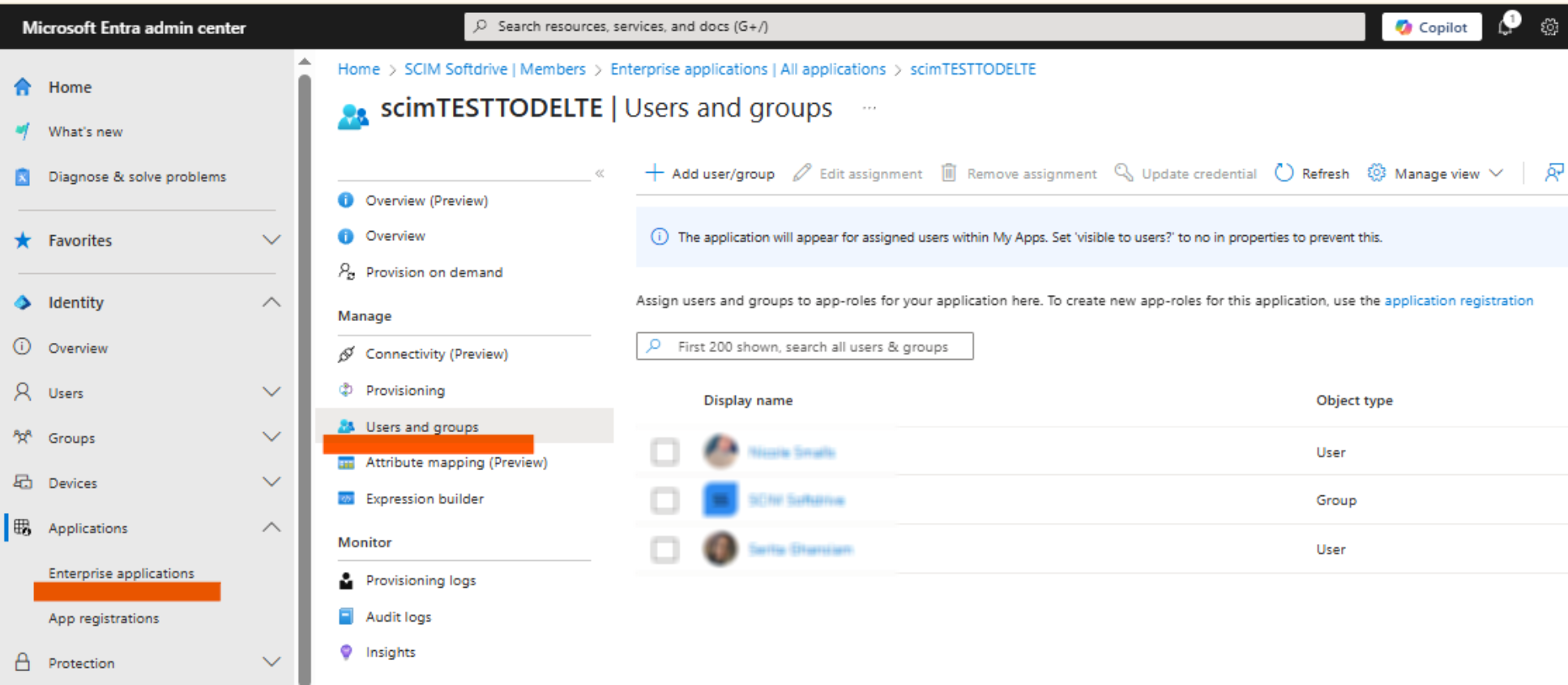
- Assign Users and Groups
- Go to Users and Groups → Add User / Group
- Only direct members are provisioned
- Nested group members are not synced
- Go to Users and Groups → Add User / Group
- Enable Provisioning
- Go to Provisioning → Overview → Start Provisioning
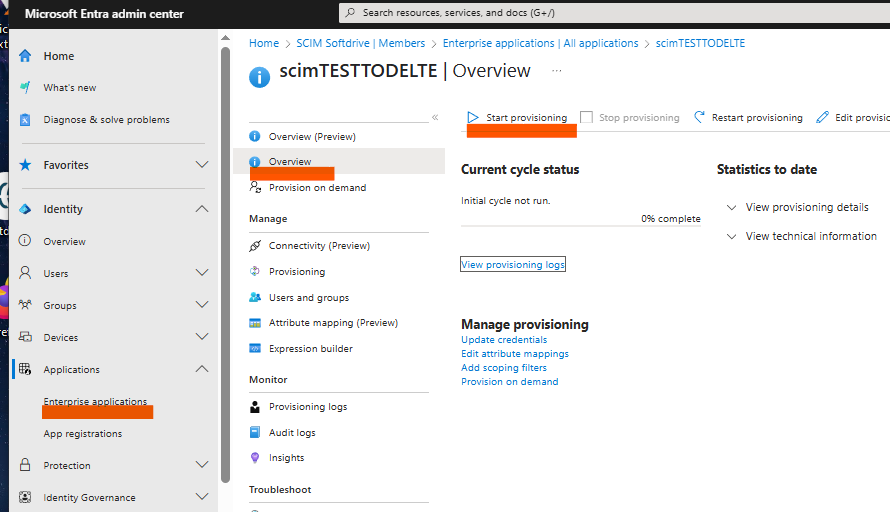
- Provisioning runs automatically every ~40 minutes
- Go to Provisioning → Overview → Start Provisioning
- Test Provisioning
- Use "Provision on Demand" to test individual users
- Group provisioning cannot be tested this way
Expected Result
Users and groups assigned in Microsoft Entra ID are automatically provisioned into Softdrive according to the defined mappings and provisioning rules.
Troubleshooting
- Ensure the SCIM connection test succeeds
- Verify Tenant URL and Secret Token
- Confirm users/groups are assigned correctly
- Review Entra provisioning logs