Overview
Organization Settings provide centralized control over your Softdrive environment, allowing administrators to manage security, access, connectivity, and billing from a single location.
Applies To
- Softdrive Organizations
- Administrators
- Softdrive Dashboard
Procedure
- Authentication Settings
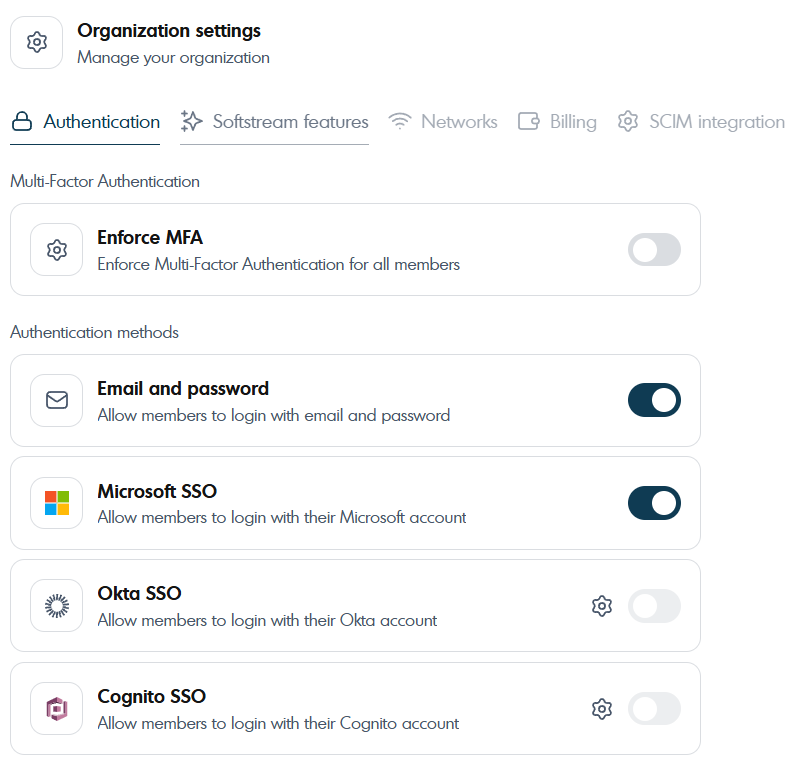
Authentication settings allow organizations to control how users securely access Softdrive. Administrators can enforce Multi-Factor Authentication (MFA) for all members and define which login methods are permitted, including email/password, Microsoft Single Sign-On (SSO), and Okta SSO. These options help align access control with your organization’s security policies while maintaining a seamless user experience.
- Softstream Features
Softstream features allow administrators to control key user experience and security behaviors across virtual machines. These settings include managing clipboard access between local and cloud environments, automatically locking virtual desktops when users disconnect, and enabling shared client configurations across the organization for consistency.

- Network Configuration
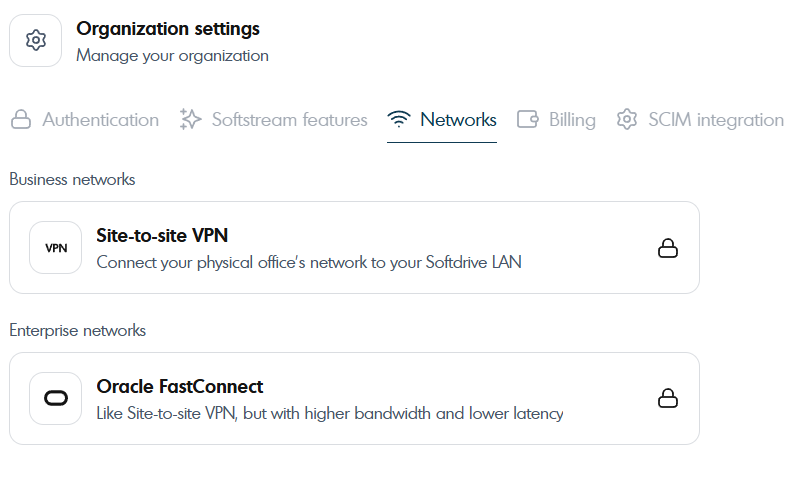
The network settings allow organizations to securely connect their on-premises infrastructure to the Softdrive environment. Options such as Site-to-Site VPN enable encrypted communication between office networks and Softdrive, while Oracle FastConnect provides a dedicated private connection for higher performance, lower latency, and enterprise-grade reliability.
- Billing Settings
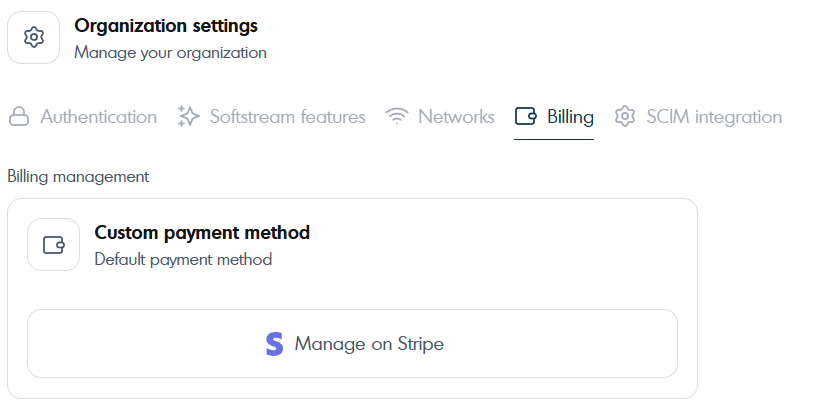
Billing settings allow administrators to manage how Softdrive services are paid for. From this section, organizations can view and update their default payment method, as well as securely manage billing details through Stripe.
- SCIM Integration
SCIM Integration enables automated user and group provisioning between your identity provider and Softdrive. Using a secure SCIM token, organizations can synchronize users, groups, and access changes in real time, ensuring accounts are automatically created, updated, or deactivated based on identity provider policies.

Expected Result
Administrators can successfully configure and manage all organization-level settings in Softdrive, ensuring secure access, optimized performance, and streamlined operations.
Troubleshooting
- Ensure you have administrator permissions to access organization settings
- Verify network configuration when setting up VPN or FastConnect
- Confirm identity provider configuration for SSO or SCIM integration
- For issues, contact support@softdrive.co