Overview
The Invoices section allows authorized users to view and download current and past invoices for Softdrive services.
Only users with billing administrator permissions have access to this feature.
Applies To
- Softdrive Dashboard
- Billing Administrators
Prerequisites
- Billing admin permissions assigned to your account
- Access to the Softdrive Dashboard
Procedure
- Access the Invoices Section
- Log in to the Softdrive Dashboard
- Navigate to More → Invoices
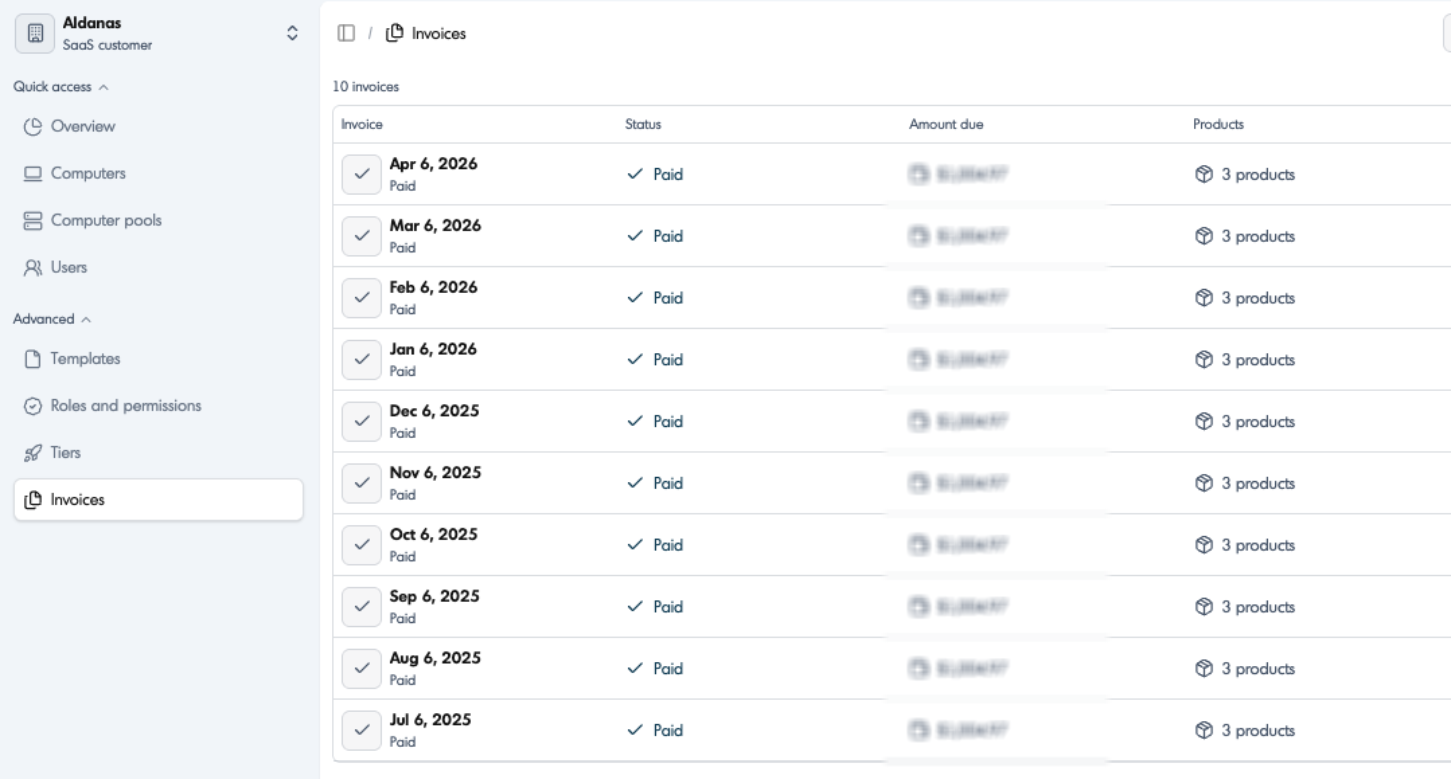
- Download an Invoice
- Locate the desired invoice from the list
- Click to download or view the invoice details
Expected Result
You can successfully access and download current or previous invoices from the Softdrive Dashboard.
Troubleshooting
- Ensure your account has billing administrator permissions
- Refresh the dashboard if invoices are not displayed
- Verify your organization has active billing configured
- If issues persist, contact support@softdrive.co